When the workday starts at 9:00 AM, where do you sit?
For millions of remote professionals, the answer is still an afterthought: a rickety folding card table in the corner of a spare bedroom, a hard dining chair that leaves your lower back aching by 11:30, and a messy spiderweb of black power cords snaking across the baseboards.
Working in a space that feels temporary makes your work feel like a grind. Your brain associates your workspace with clutter, fatigue, and stress.
Compare that to walking into an executive corner penthouse suite. The desk is expansive and rock-solid. Important files tuck neatly out of sight into integrated cabinetry. A brushed gold task lamp illuminates your keyboard with flattering, warm light. You sit down with a fresh espresso feeling focused, capable, and in command of your day.
You do not need a glass skyscraper in Manhattan to work with that level of calm confidence. You can create that exact high-powered feeling in your own home with four intentional upgrades.
3 Fatal Flaws of Amateur Home Offices
Before you upgrade, let us identify the subtle design mistakes that make a home workspace feel chaotic:
1. The Monitor-Crowded Surface
If your desk is only 36 to 40 inches wide, placing an ultrawide monitor or dual screens eats up 90 percent of the surface area. You are forced to rest your wrists right on the edge of the wood, with zero room for a physical notebook, iPad, or cup of coffee. An executive setup requires a desktop width of at least 55 inches.
2. Visible Cord Chaos
Black charging cables, HDMI cords, and power strips dangling off the back of a desk instantly destroy visual calm. High-end desks feature discreet cable pass-throughs and integrated pedestal storage that hide power bricks completely from view.
3. The Ugly Zoom Background
During video conference calls, your background is your professional storefront. A messy closet door or empty drywall communicates disorganization. Adding warm directional lighting and an architectural side chair signals taste, poise, and authority to clients and colleagues.
4 Pieces That Build an Executive Home Office
Here are four of our favorite pieces for turning a home office into a room you look forward to sitting in.
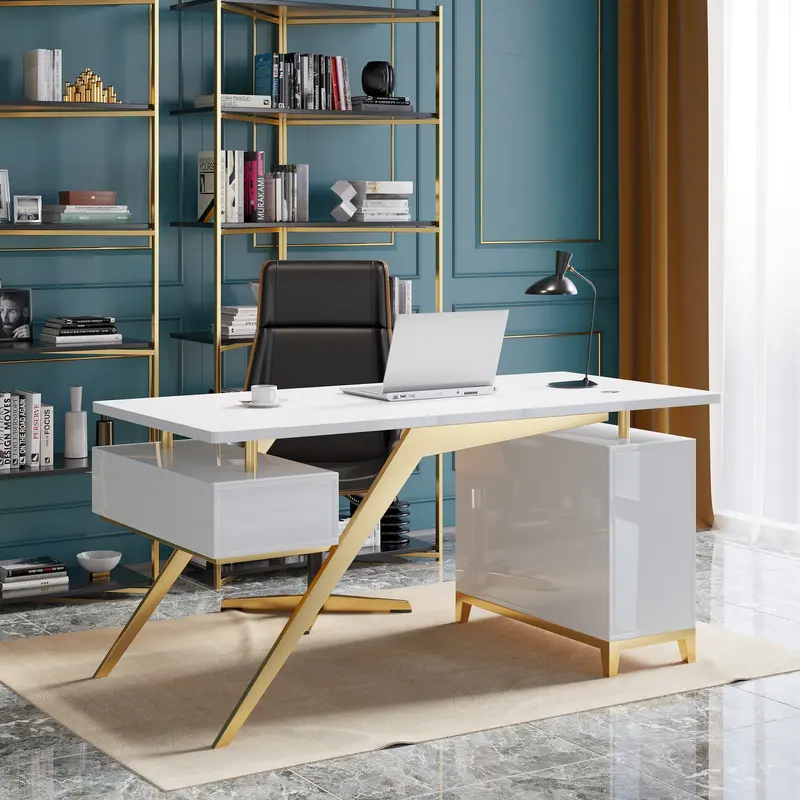
1. The Power Anchor: White Executive Home Office Desk (55 in)
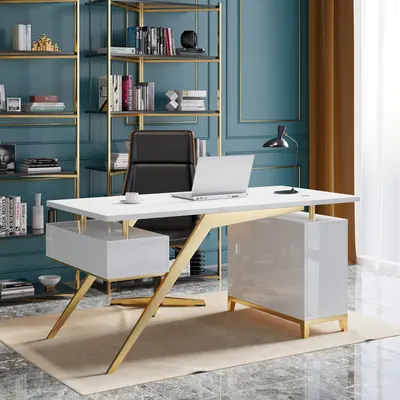
White Executive Home Office Desk with Storage (55 in)
- Best for: Dedicated home offices, high-focus productivity, and clean minimalist aesthetics.
- Why it feels executive: Spans a generous 55 inches wide. You have plenty of room for an external monitor, laptop stand, keyboard, and an open desk pad without feeling cramped.
- Built-in storage: A built-in cabinet holds files, stationery, and tech accessories, so the desktop can be clear by 5:00 PM.
- Steady and tough: Sturdy metal legs keep it from shaking while you type, and the engineered wood top resists scratches.
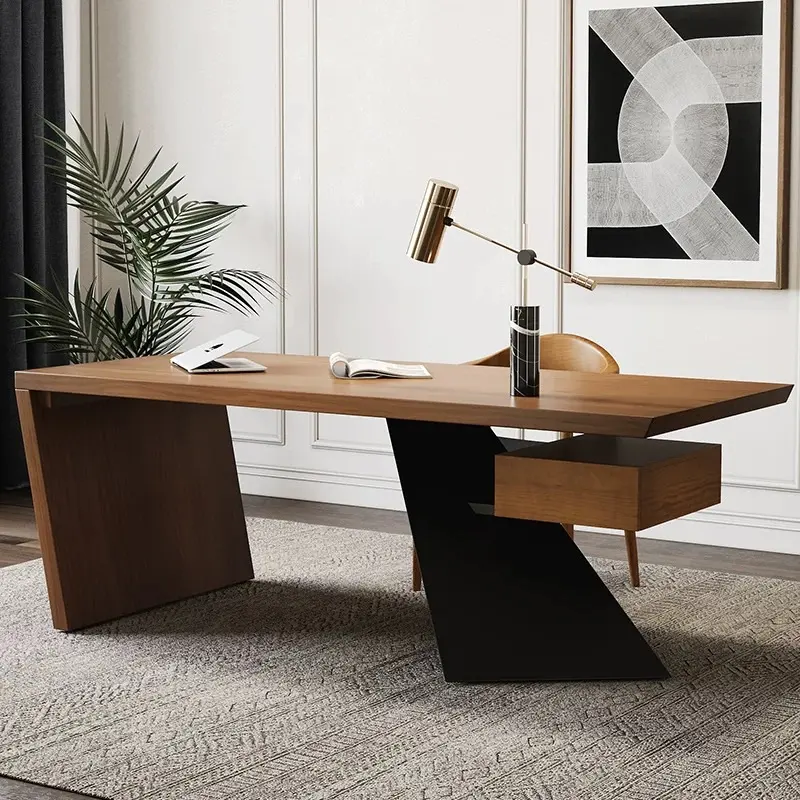
2. The Architectural Statement: Cabstract 55 in. Executive Desk
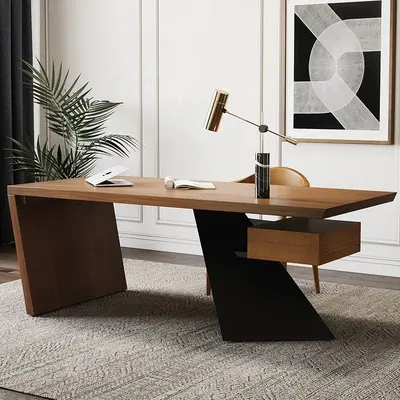
Cabstract 55 in. Executive Desk with Floating Drawer
- Best for: Open-concept living areas or master bedroom office corners where the desk is visible from the rest of the home.
- Why it feels executive: A wide 55-inch top, a floating drawer for paperwork, and a metal base in a vintage distressed look. It reads as a statement piece, not standard office furniture.
- Steady build: Durable wood and a steady metal base keep it solid, and partial pre-assembly gets you working faster.
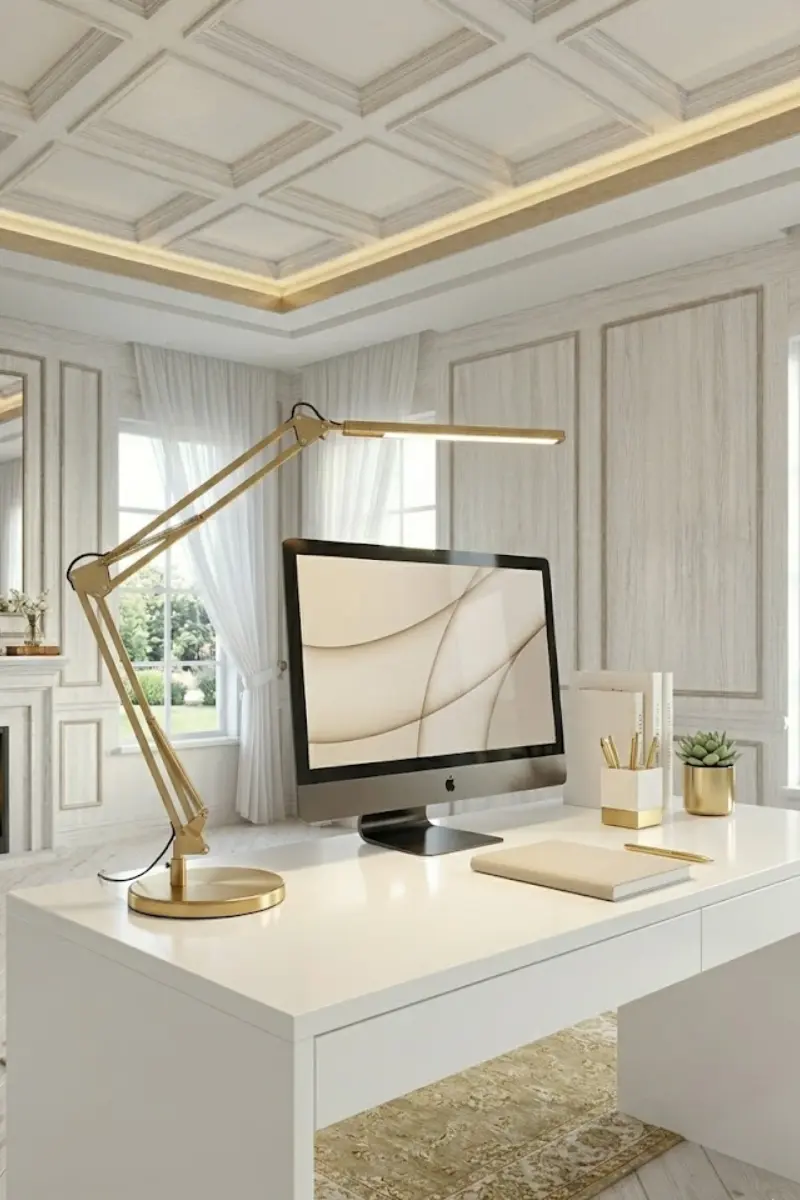
3. The Video Call Secret: LED Adjustable Desk Lamp in Brushed Gold
LED Adjustable Desk Lamp in Brushed Gold
- Best for: Video conference calls, late-night report writing, and document review.
- Why it feels executive: A brushed gold finish adds warmth to what is usually a cold tech setup, and the fully adjustable arm lets you aim light exactly where you need it.
- Camera flattering: Three color temperatures let you pick the right light for reading or video calls. Angle the head toward the wall to bounce softer light across your face.
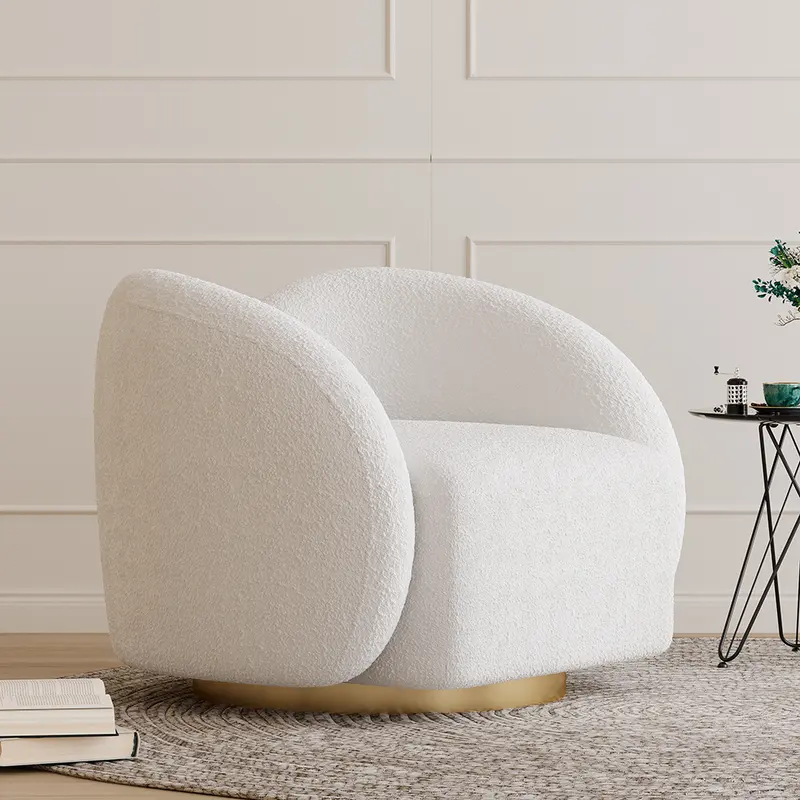
4. The Executive Lounge: Cloud Boucle Swivel Accent Chair
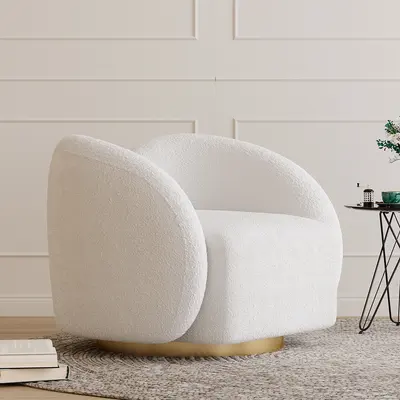
Cloud Bouclé Swivel Accent Chair, White
- Best for: Reading long strategy documents, taking phone calls away from the keyboard, or styling the corner behind your desk.
- Why it feels executive: A tight-loop bouclé weave on a deep cloud seat with a smooth, quiet swivel. Stepping away from your desk chair into it gives your mind a reset between meetings.
- Framing the room: Positions beautifully in the background of your video calls, communicating taste and calm luxury.
Executive Setup Checklist
| Feature | Low-End WFH Setup | Executive Penthouse Standard |
|---|---|---|
| Desk Surface Width | 36 to 42 inches (cramped) | 55 inches or wider (expansive) |
| Storage Strategy | Stacks of loose paper on table | Integrated drawers and hidden cabinets |
| Task Lighting | Blue-light computer monitor glare | Articulated brushed gold LED lamp (3000K) |
| Secondary Seating | None (trapped at desk 8 hours) | Plush bouclé swivel chair for calls |
| Cable Management | Dangling black wire nests | Recessed channels and concealed routing |
The 5:00 PM Shutdown Routine
The biggest problem with working from home is that work bleeds into your personal life. When you leave your laptop open and papers scattered, your living space never feels relaxing in the evening.
Adopt the Executive 5:00 PM Shutdown:
- Clear the Surface: Close your laptop, put pens back into their brass organizer, and slide paperwork into the desk drawer.
- Turn Off Task Light: Click off your desk lamp. Leaving the desk dark creates a clear psychological boundary that the workday is officially over.
- Enjoy Your Living Space: Walk out of your office zone knowing that everything is organized and ready to inspire you tomorrow morning.
Frequently Asked Questions
What desk height is best for typing ergonomics?
Standard executive desk height is 29 to 30 inches from the floor. When seated with shoulders relaxed and elbows bent at 90 degrees, your forearms should rest parallel to the desk surface. Pair your desk with an adjustable-height chair to fine-tune your typing posture.
How do I protect an executive desk surface from scratches?
Use a large leather or felt desk pad (36x20 inches) centered under your keyboard and mouse. It protects the desktop finish from laptop feet, provides smooth mouse gliding, and dampens typing sound.
How much clearance do I need behind an executive desk?
Allow at least 36 to 42 inches of clear walking space between the back of your desk chair and the rear wall or bookshelf. This gives you plenty of room to push your chair back, stand up, and stretch without bumping into walls.
Add us to your preferred sources to see our latest room styling guides and luxury decor edits first in your Google feed.